


Get Tend for $49

Write it down once. Let the whole family help.

Your parent's medications, doctors, appointments and documents in one place, on your phone and on paper. When your brother asks what Dad takes, you send it in seconds instead of explaining it again.

Get Tend for $49

One-time payment, yours to keep. 30-day money-back guarantee.

  • iPhone and Android
  • No account, nothing on our servers
  • Works without internet

“I already have enough monthly subscriptions. I didn't want another one just to keep track of Dad's appointments and medications. Paying once made a lot more sense.”

Christian C.Christian C., a Tend buyer
Instead

What changes when it's written down

No new system to maintain. You just have the answers where you can reach them.

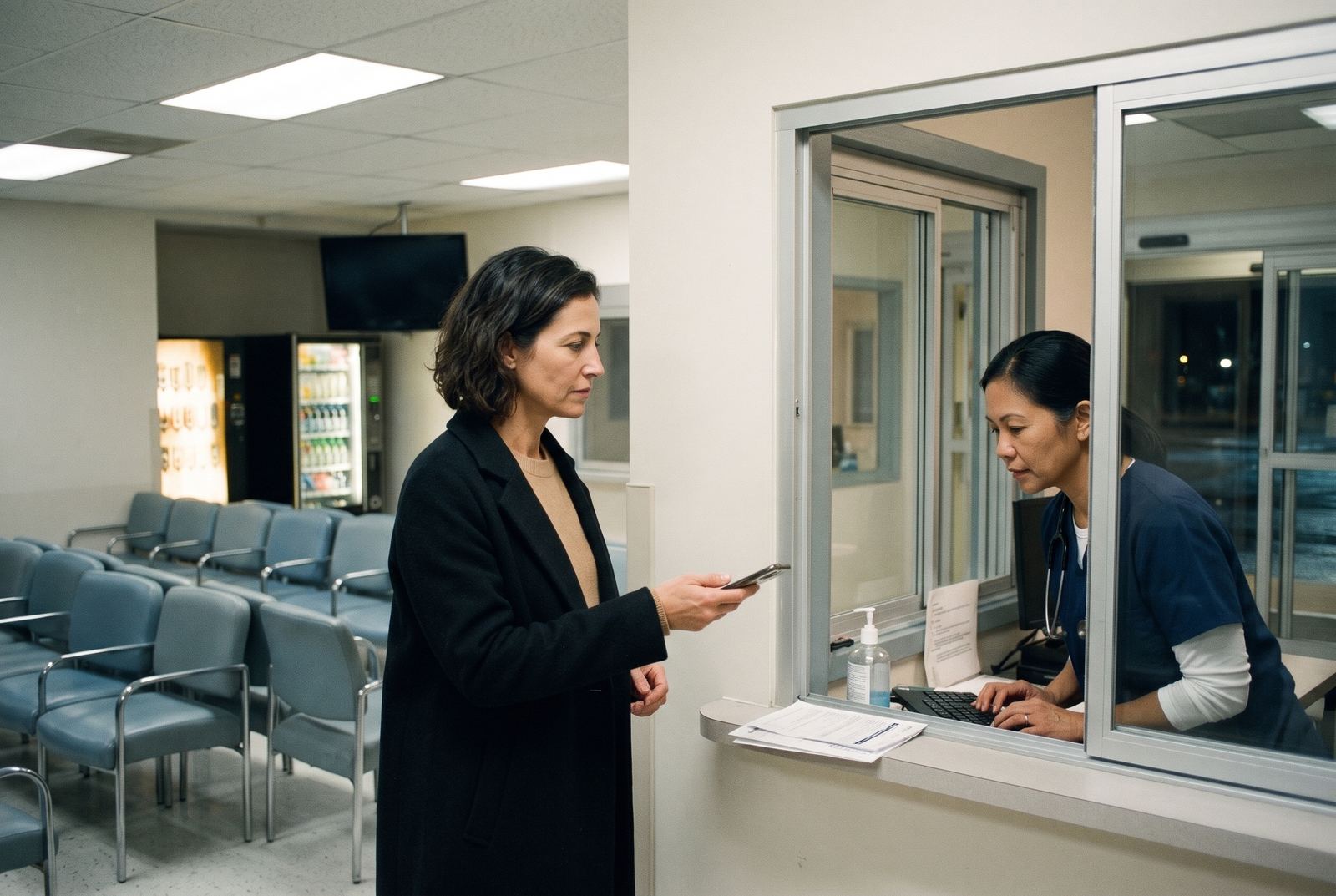
A woman calmly hands her phone to a nurse at the emergency room deskA man at the pharmacy counter reading his phone with a relieved smile
At the pharmacy counter

"Which dose is he on?" You open Tend and read it out. Ten seconds, no guessing.

Thursday, cardiology

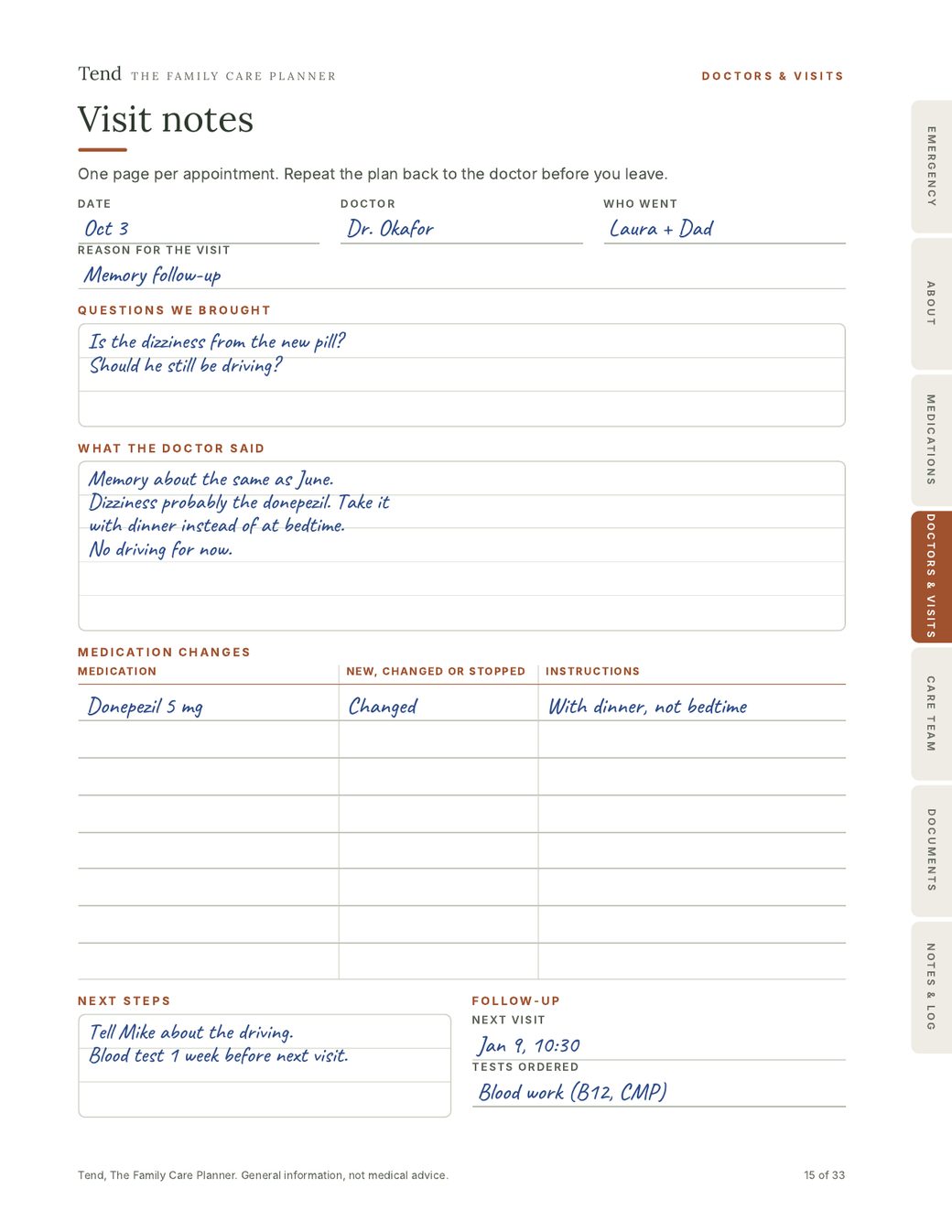
Your brother takes Dad, with the visit sheet you sent him. Your phone stays quiet all morning.

In the emergency room

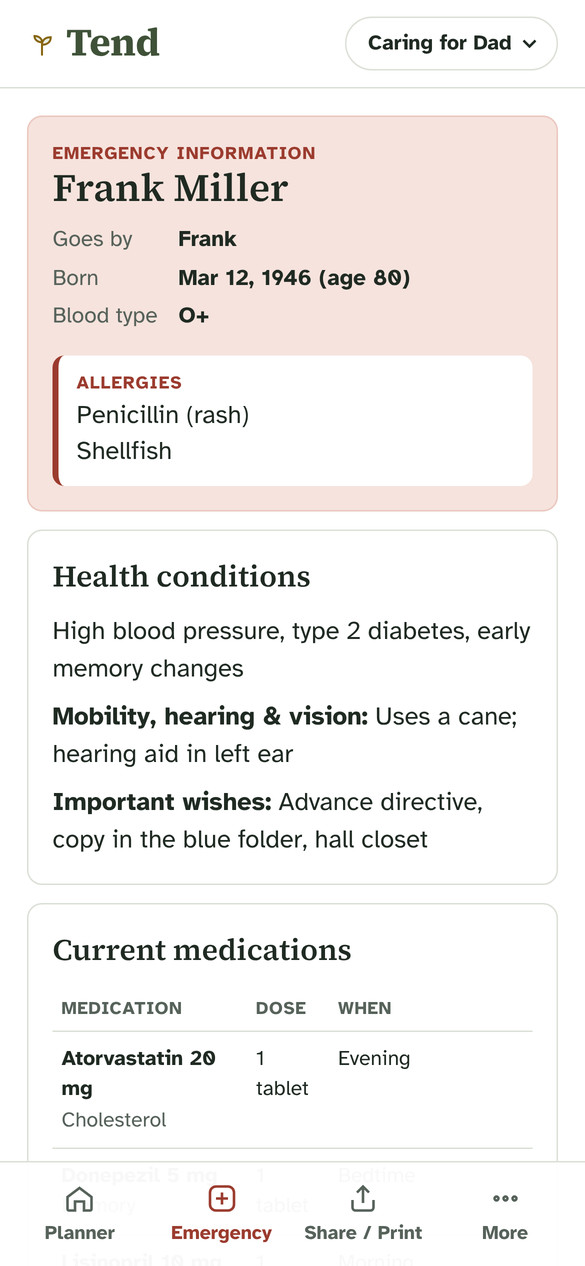
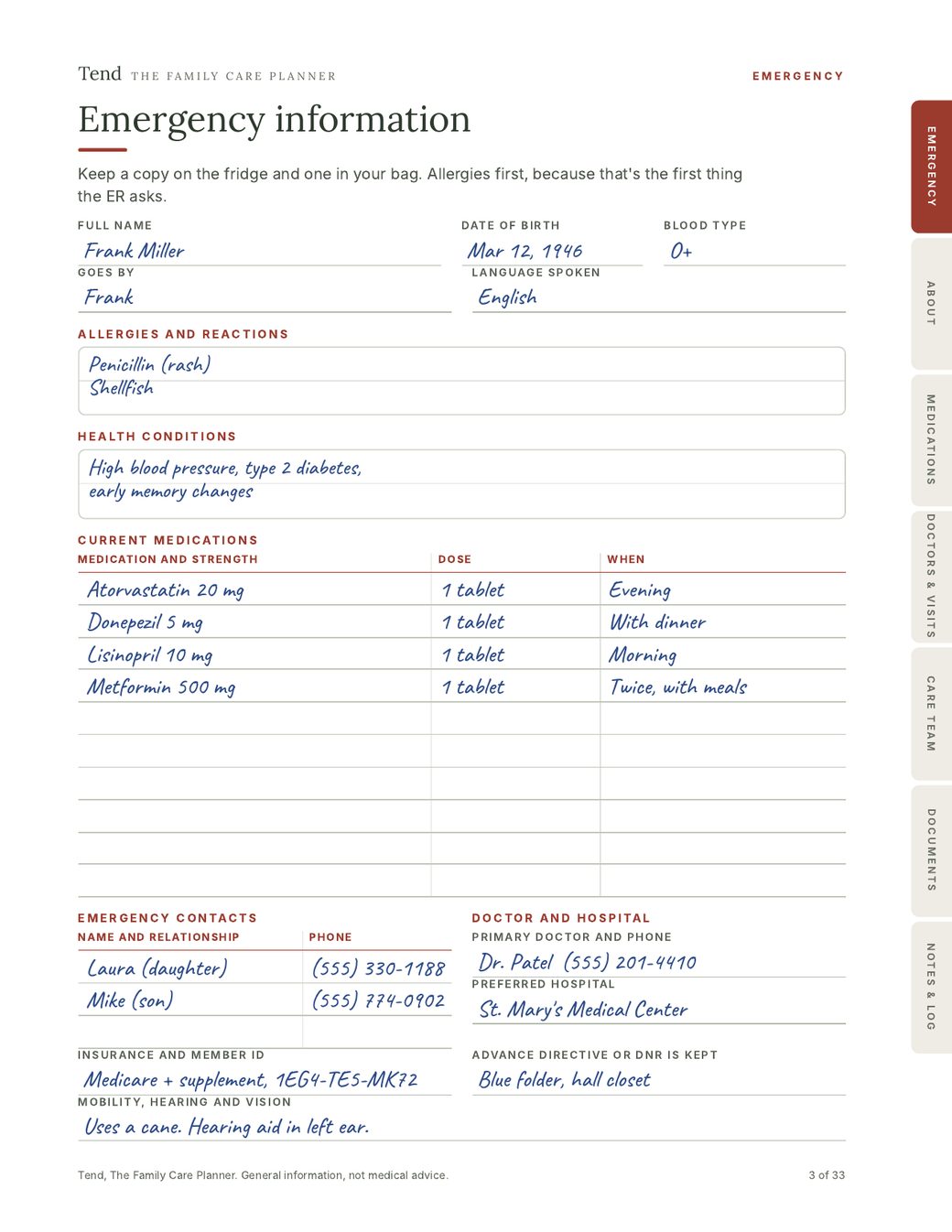
You hand over one page. Allergies at the top, every pill and dose underneath.

Sunday afternoon

Tea with Dad. Nothing to look up, nothing to chase. You get to just be his daughter.

From the other side of the bed

“One family I care for uses Tend. Whoever is at the bedside that day has the same medication list and the same notes, so I'm not explaining everything again to each person. It's made my job a lot easier.”

Christina, RNChristina, RN, hospital nurse for 5 years
How it works

Ten minutes to start. Then it grows as you go.

  1. 1

    Start with what you already know

    Their name, allergies, the pills in the cabinet and two phone numbers. That's enough for Tend to build a working emergency page, with allergies first.

  2. 2

    Add the rest when it comes up

    Type it, or tap the microphone on your keyboard and just say it. A new prescription, what the cardiologist said, who's taking the Tuesday appointment. Each thing has its place, so you never have to remember where you wrote it.

  3. 3

    Send it the moment someone asks

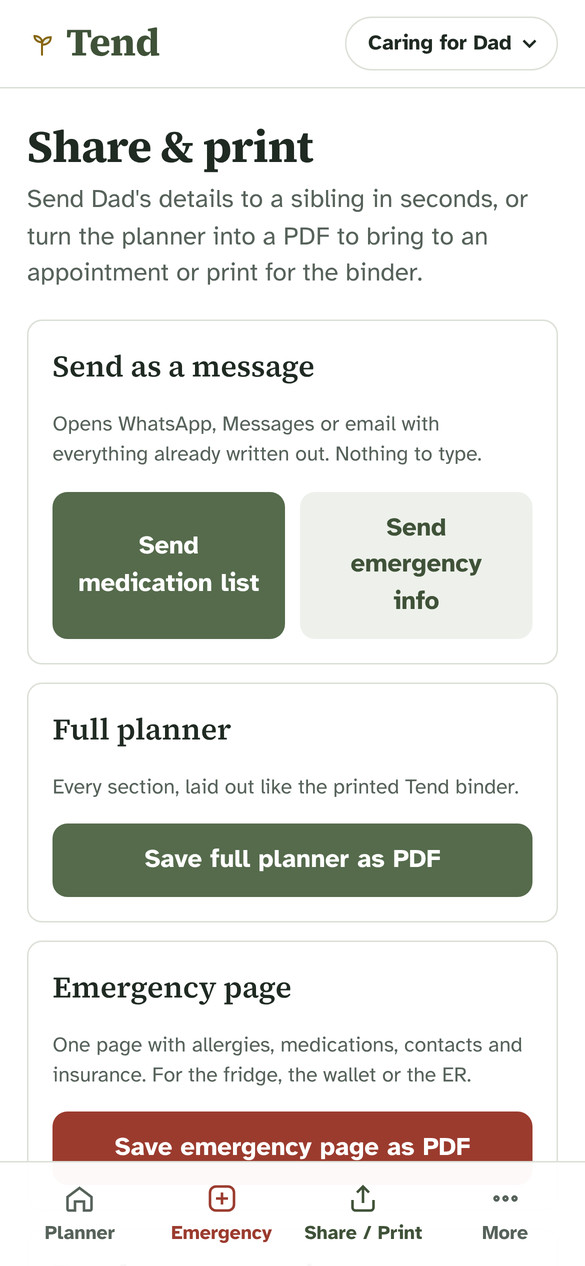
    Your brother needs Dad's medication list? Tap once and it opens in WhatsApp, Messages or email, already written out. Need paper? Make a clean PDF of the whole planner or just the emergency page.

    The Share and print screen in Tend
Laura filled it in weeks ago. Today, from a meeting, it took her two taps. Her brother had everything he needed at the pharmacy counter.

“Before, only my mom knew how to look after my grandmother. Now the whole house knows how, from the right medications to the routine for turning her in bed.”

Isabella P.Isabella P., caring for her grandmother with dementiaEarly user. Tried Tend before launch, then bought it.
Inside

What you get

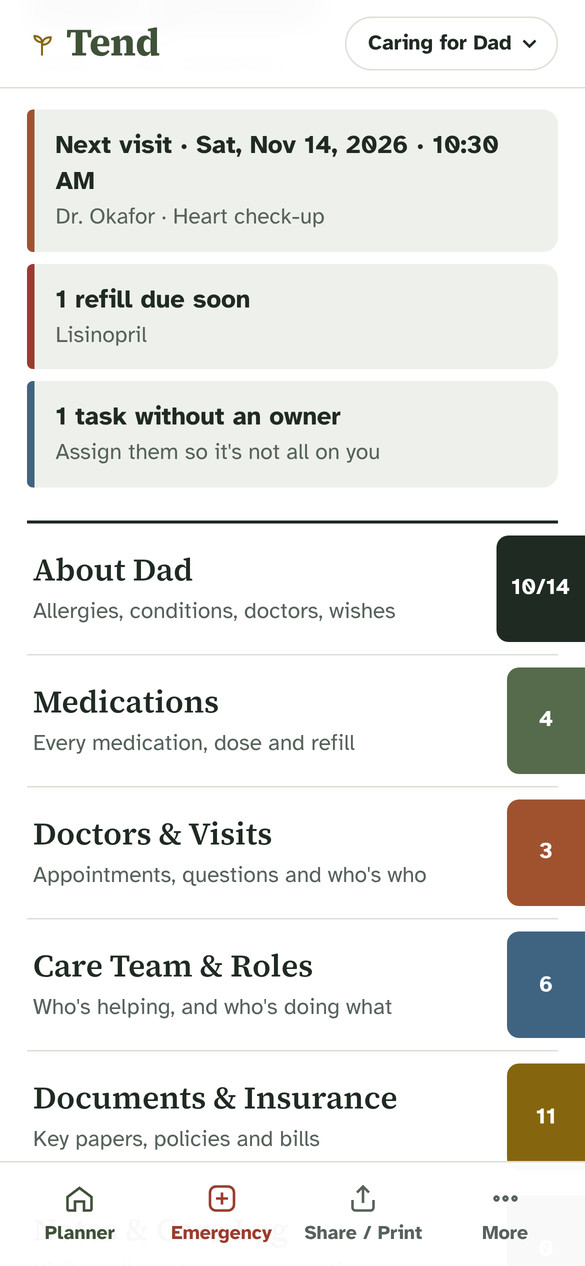
The Tend app on your phone, and the same planner on paper. Both are organized into the same six color-coded sections, so you can use the app, the binder, or both.

The Tend app home screen with six color-coded sections

In the app

Where most families keep everything day to day. Add things as they come up, send them in a tap, and the emergency page fills itself in from what you've entered.

  • About your parentAllergies, conditions, blood type, mobility and hearing, doctors, important wishes.
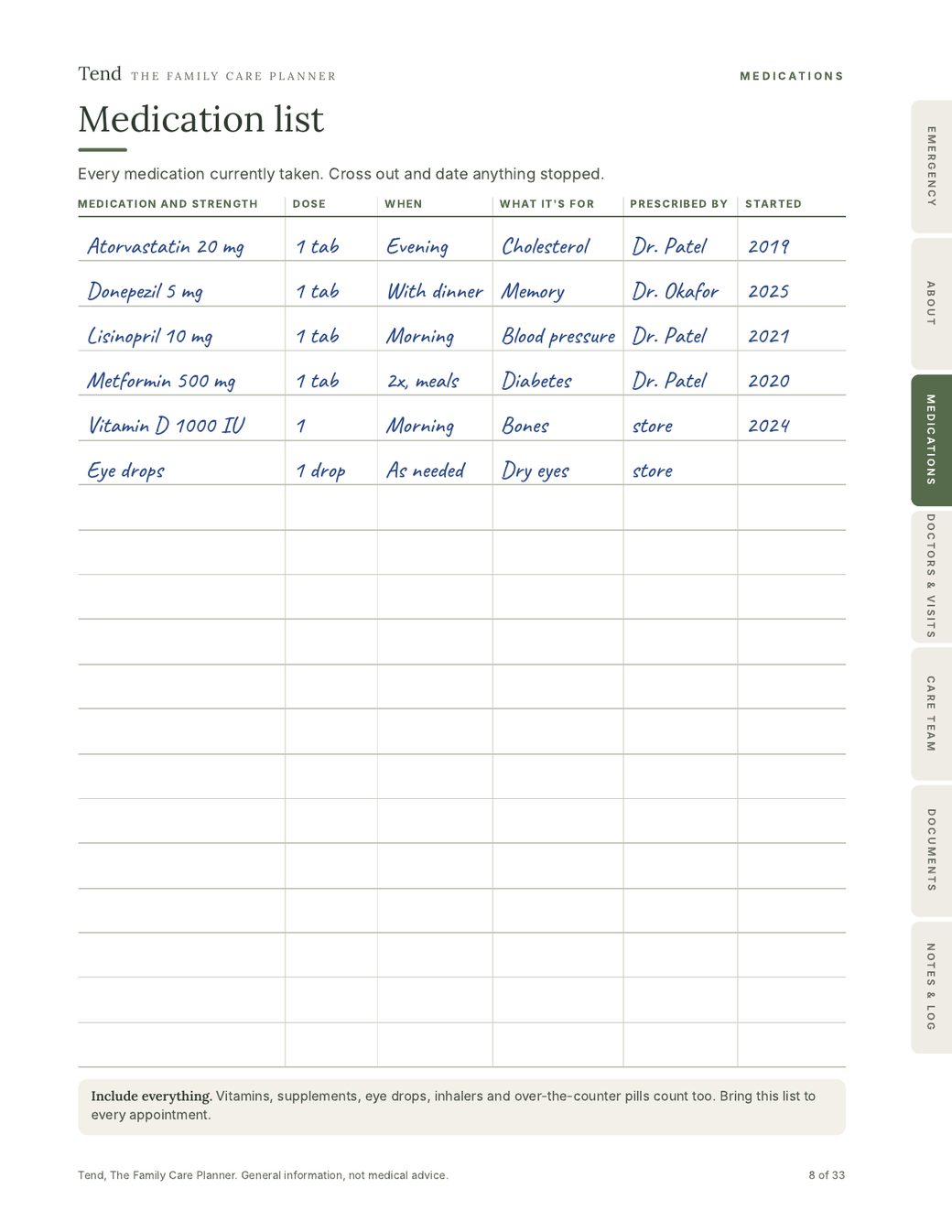
  • MedicationsName, dose, when, what it's for and who prescribed it. A reminder when a refill is due.
  • Doctors & VisitsAppointments, questions to ask, what the doctor said, every provider's number.
  • Care Team & RolesWho's helping, who to call in an emergency, and who's on each task.
  • Documents & InsuranceWhere the important papers are, insurance details, and how each bill gets paid.
  • Notes & Care LogVisits, calls and changes over time, so you can answer "when did this start?"

On paper

The same sections as a 33-page printable binder, with matching colored tabs. Print it and write by hand, or type straight into the PDF. US Letter and A4, with wallet cards. Good for the fridge, the hospital bag, or a parent who'd rather not use a phone.

The printed Tend binder open to the medication list on a sunny kitchen table

Look inside the binder

A few of the 33 pages. These samples are filled in by hand. Yours comes blank. Tap a page to see it full size.

Binder page: Emergency page, for the fridge and the ER
Emergency page, for the fridge and the ER
Binder page: Medication list
Medication list
Binder page: Visit notes, one per appointment
Visit notes, one per appointment
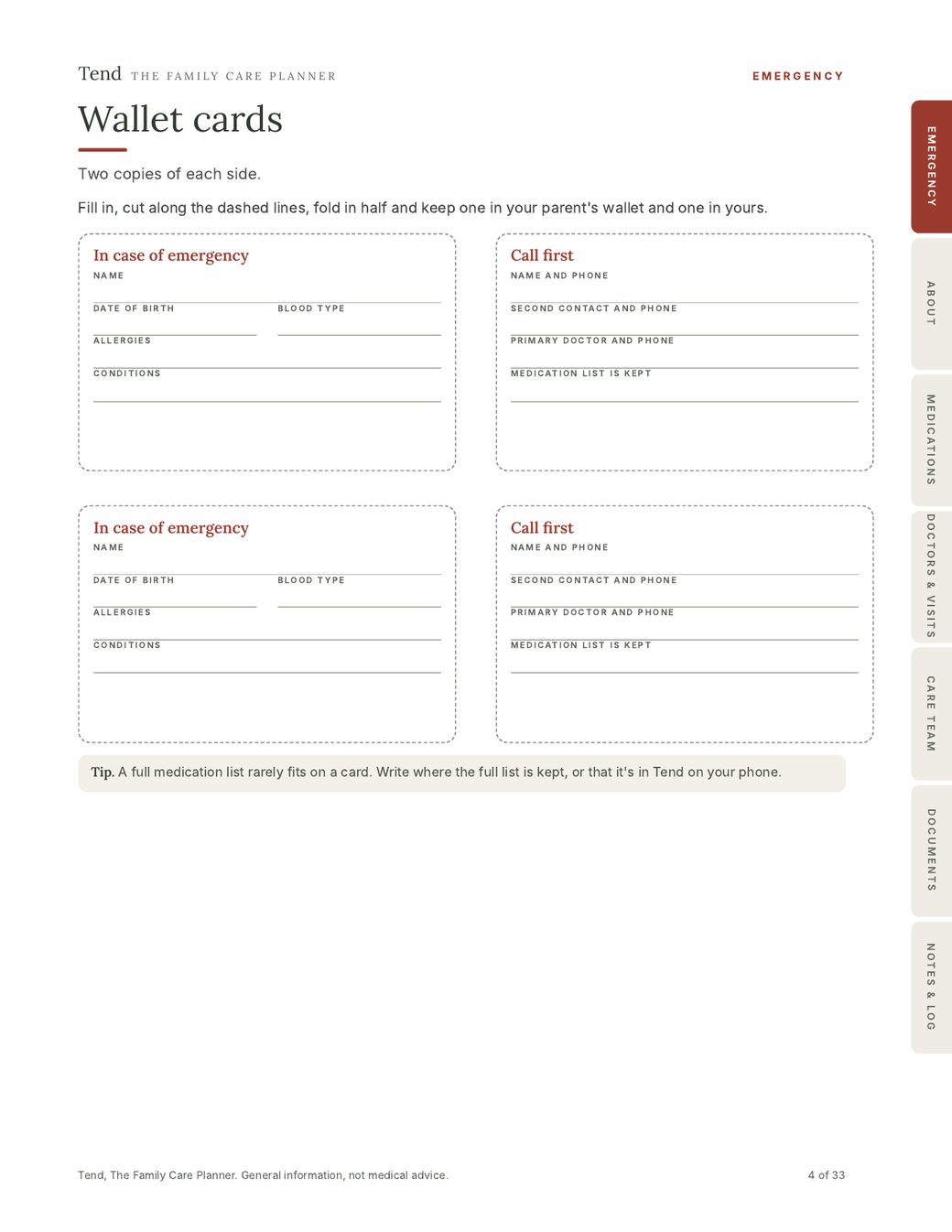
Binder page: Wallet cards
Wallet cards
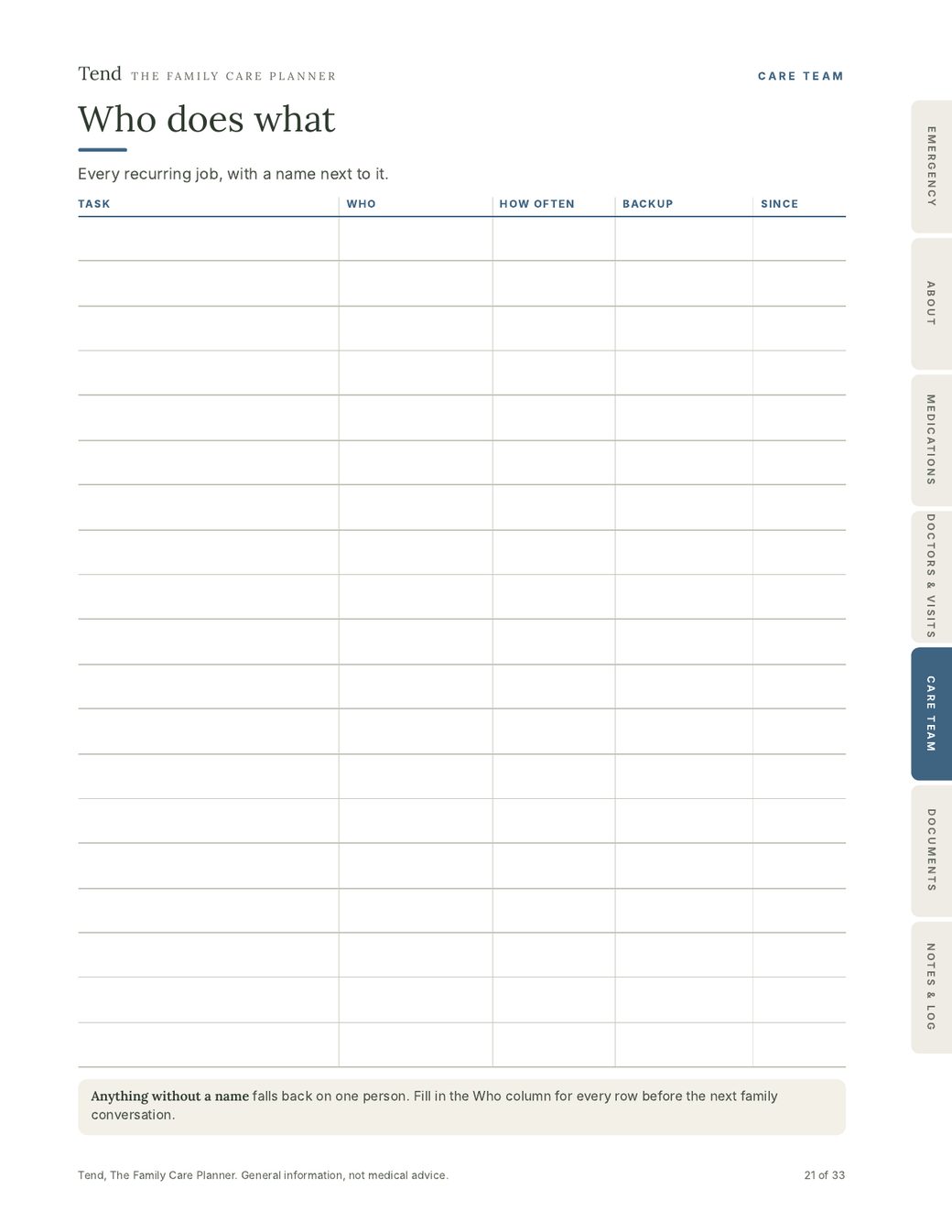
Binder page: Who does what
Who does what
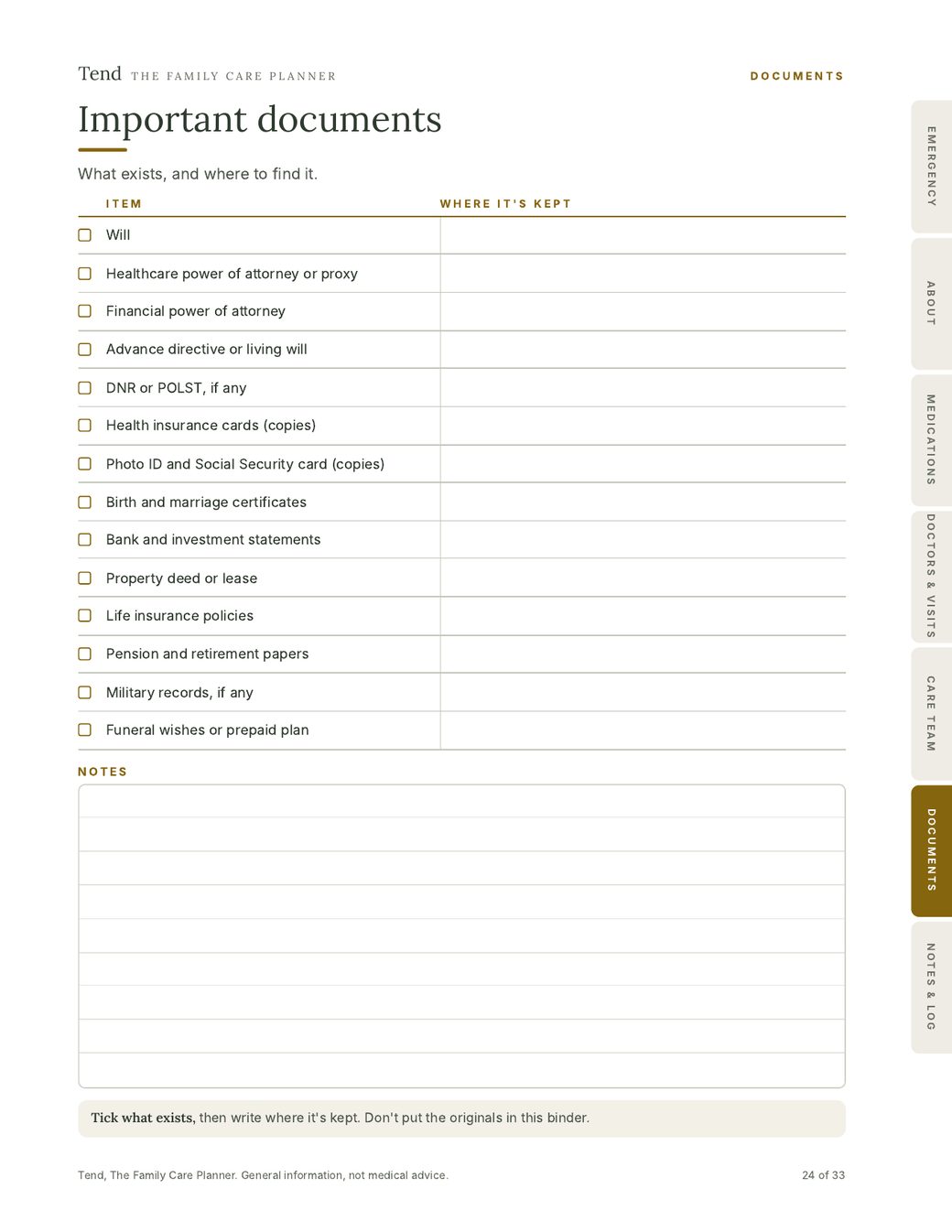
Binder page: Important documents checklist
Important documents checklist
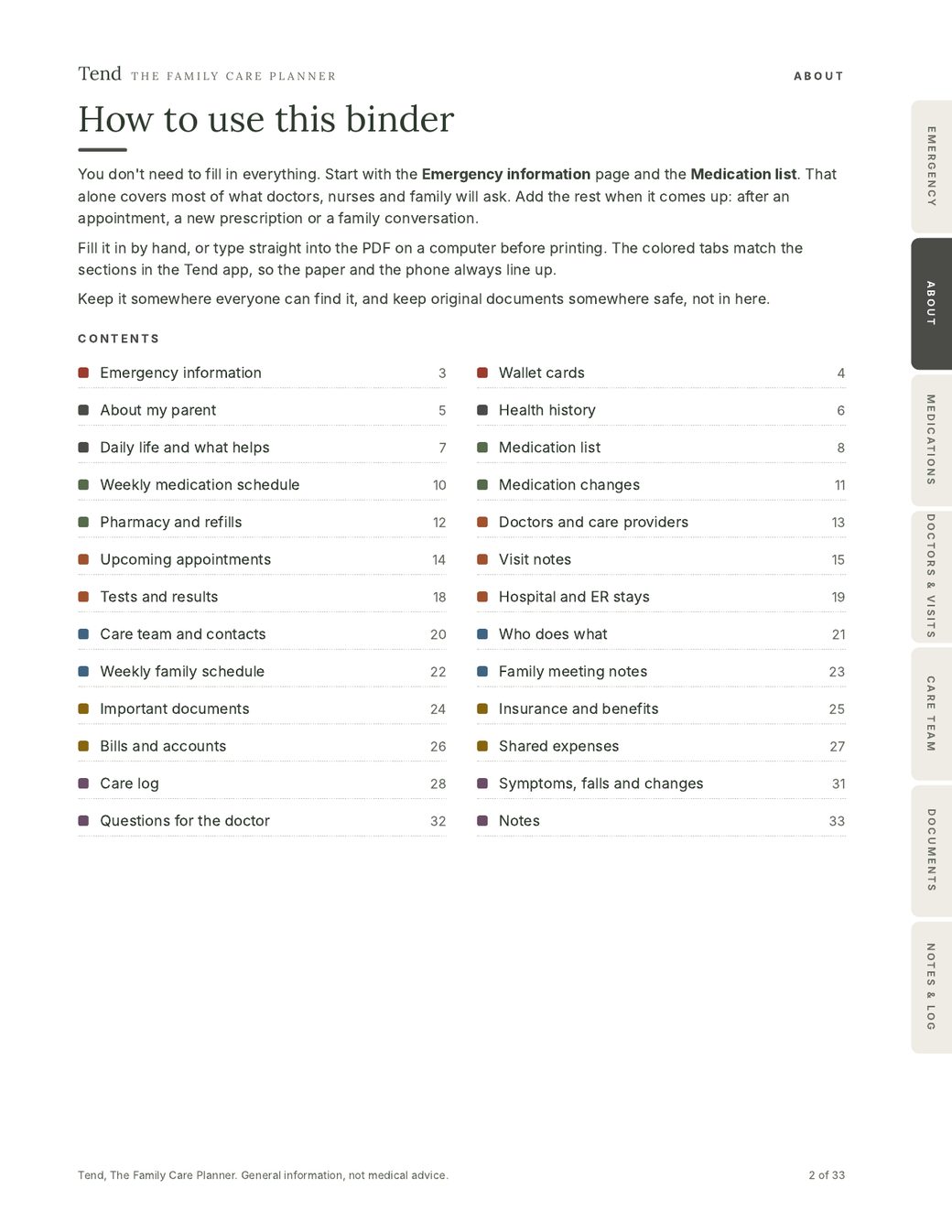
Binder page: Contents
Contents
Binder page: The cover
The cover

Plus three short guides

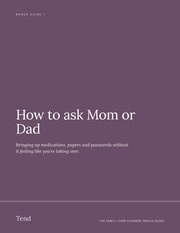
Cover of the How to ask Mom or Dad guide

"How to ask Mom or Dad"

For the parent who'd rather not talk about it. What to say, word for word, to bring up medications, papers and passwords without it feeling like you're taking over.

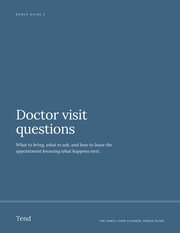
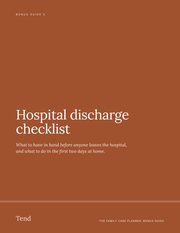
Cover of the doctor visit questions guideCover of the hospital discharge checklist

Doctor visit questions and a discharge checklist

What to ask at appointments, and what to have in hand before anyone leaves the hospital.

Why Tend

Why not a notebook, a spreadsheet or a free app?

They all work for a while. Here's where they usually break down.

NotebookSpreadsheetMost care appsTend
With you at the pharmacy counterIf you remembered itHard to read on a phoneYesYes
Makes an emergency page for youNoNoSome doYes, by itself
Clean pages to print or sendPhotocopiesWith some workSome doOne tap
Works with no signalYesSometimesOften notYes
What it costsA few dollarsFreeOften $5 to $15 every month, plus an account$49 once. No account, yours to keep
Family sees updatesOnly if they visitIf you share the fileLive, everyone logs inYou send it when they need it
Health details stay with youYesDepends where it's savedStored on their serversOnly on your phone

Get Tend for $49One-time payment, yours to keep. 30-day money-back guarantee.

Why I made Tend

I made Tend for my mom, and for the rest of us.

My mom is the one in our family who holds everything together. She knows every appointment, every pill, every phone number, and she carries it like it's her job alone.

I would have helped in a heartbeat. I just didn't know what to do, and every time I asked, it became one more thing she had to explain. I think a lot of families look like ours: one person carrying it all, and people around her who want to help but don't know where to start.

Tend is my answer to that. Once it's written down, she doesn't have to be the only one who knows, and the rest of us can finally step in.

And because I was building it for my own family, I built it the way I'd want it for them. Every few months there's another story. A health app shares people's data with advertisers. A company gets hacked and loses it. I didn't want our family's health details sitting on anyone's server, including mine. So Tend keeps everything on your phone. I can't see it, and nobody can buy it from me.

Gio, founder of Tend

Watching someone carry all of this?You can give them Tend. Buy it, then forward the access link to your mom, your sister or whoever holds it together in your family. It may be the most useful thing you give them this year.
Gio laughing with his mom
With my mom.
Private

We can't sell your family's health details. We never have them.

Most apps keep your information on their servers. Tend doesn't. What you write about your mom or dad is saved on your own phone, and it stays there. We couldn't look at it, sell it or lose it in a data breach, because it never reaches us.

“We were in a hospital basement with no signal when the nurse asked for Dad's medications. I opened Tend and everything was there, because it works without internet.”

Ruth M.Ruth M., caring for her dadEarly user. Tried Tend before launch, then bought it.
On your phone, not our servers

Everything you type is saved on your own device. Nothing is uploaded, ever.

No account, no password

Open it and start. There's no profile about you or your parent anywhere.

Works offline

In a hospital basement with no signal, it still opens.

You decide what's shared

A message or PDF goes only to the people you send it to.

Shared caregiving apps

Everyone logs in and sees changes live. To make that work:

  • Your parent's details live on the company's servers
  • Everyone needs an account
  • Usually a monthly fee
Tend

You send people what they need, when they need it. That means:

  • Your parent's details stay on your phone
  • Nobody needs an account
  • One payment, yours to keep

Which fits you? If several siblings update the same record every day, a shared app may suit you better. If one or two people do most of the caring and want privacy and paper, that's who Tend is for.

The only information we receive is what checkout needs to deliver your purchase, like your name and email. Read the privacy policy.

What families say

Why people chose Tend, in their words.

“I just didn't feel comfortable putting all that information online.”

I was a bit skeptical about having my mom's medical information in an app. I don't really know where that information goes with most apps. I liked that with Tend it's stored on my own phone. That was probably the main reason I decided to try it.

Amanda T.Amanda T.
“I was tired of paying for apps every month.”

I already have enough monthly subscriptions. I didn't want another one just to keep track of Dad's appointments and medications. Paying once made a lot more sense to me. It's something I can just keep using.

Christian C.Christian C.
“I still like having things on paper.”

I know everything is digital now, but I like having a physical copy of important things, especially when it comes to my parents. I printed the PDF and put it in a binder. Now I have something I can grab without having to look through my phone.

Patricia M.Patricia M.
“I didn't want to make everyone in the family download something.”

My brothers aren't particularly tech-savvy, and I know asking everyone to sign up for another app would be a headache. I prefer having everything organized on my phone and sharing the information with them when they need it. It's much simpler for us.

Andrés R.Andrés R.
“I wanted something that would work even without internet.”

We spend quite a bit of time outside the city, and the connection isn't always great. I like knowing I can still open the planner and check the information. I don't want to depend on having a signal for something like this.

Michelle P.Michelle P.
“Honestly, I wish I had organized this stuff earlier.”

After my dad started having more frequent doctor appointments, I realized how many little things I was trying to remember. Medication details, doctors' phone numbers, previous appointments… It was all over the place. Tend gave me a reason to finally sit down and get it organized.

Robert L.Robert L.
Get Tend

Everything in one place, for one payment.

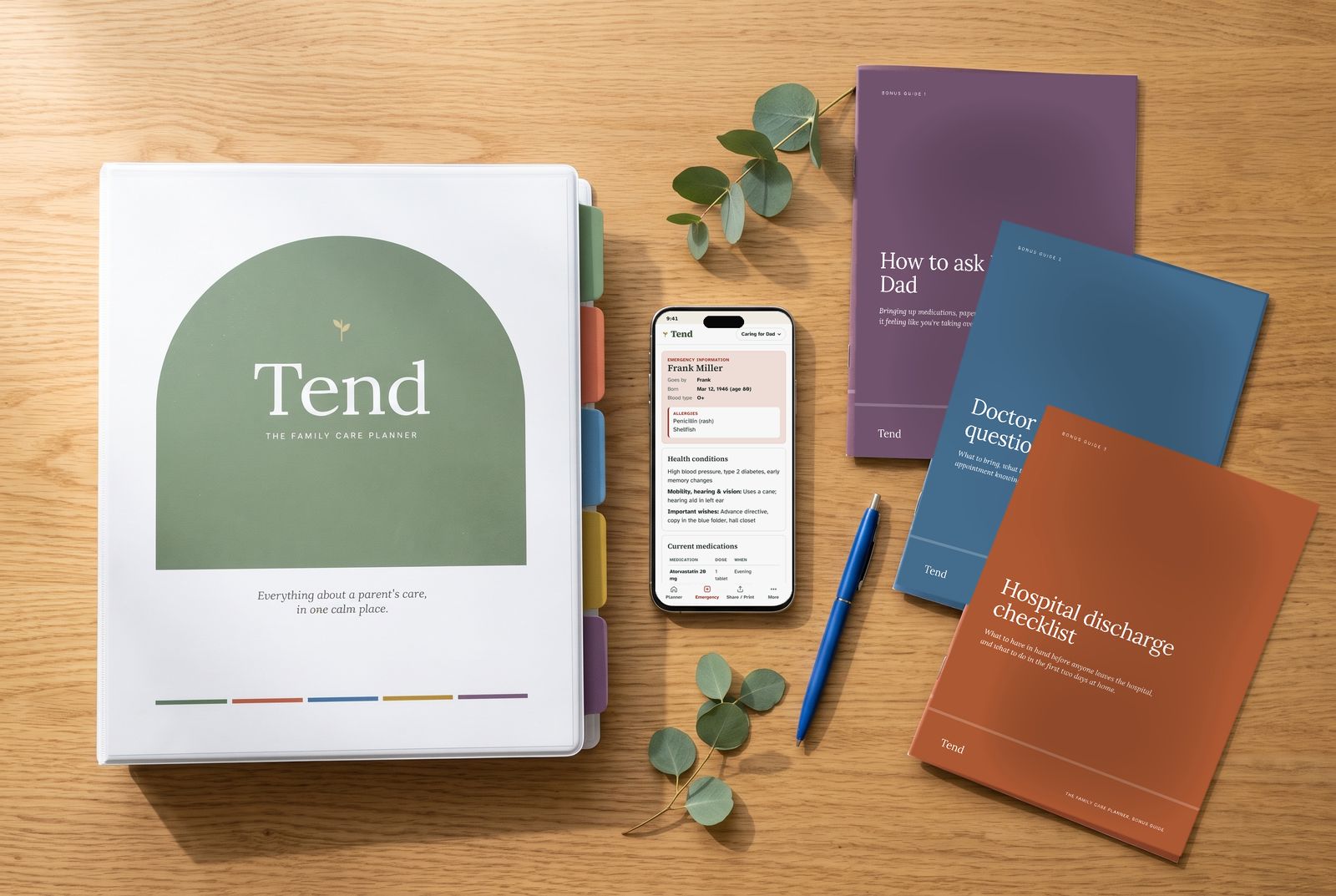
The Tend binder, the app on a phone, and the three bonus guides on a wooden table

Tend, complete

  • The Tend appPhone, tablet and computer. Installs from your browser, works offline.
  • The 33-page printable binderFill it in by hand or type into the PDF. US Letter and A4, with wallet cards.
  • Emergency page, visit sheet and full planner PDFsMade from your own information, whenever you need them.
  • A separate planner for each parentMom, Dad, an aunt. Switch with one tap.
  • "How to ask Mom or Dad" guide, doctor visit questions and a discharge checklist
  • Every future update to the app
$49once

No subscription. Most care apps charge $5 to $15 every month. Tend is yours to keep.

Get Tend for $49

One-time payment. Instant access after checkout.

30-day money-back guaranteeIf Tend doesn't make things easier, email us within 30 days and we'll refund every cent. No questions.
Questions

Questions people ask before buying

I barely have time as it is. How long does this take?

About ten minutes to start: name, allergies, current pills and two phone numbers. That already gives you a working emergency page. Everything else you add when it comes up, like after an appointment or a new prescription.

Mom doesn't like sharing her medical information. Will this help?

Start with what you already know. Most families know more than they think. The included "How to ask Mom or Dad" guide helps you bring up the rest in a way that feels like teamwork, not taking over. And because Tend stays on your phone, you can promise her it isn't going to some company's servers.

“I was sure my mom would never fill it in. She did it herself, and she said it felt official, like she was the one in charge of it.”

Christina P.Christina P., gave Tend to her momEarly user. Tried Tend before launch, then bought it.
I'm not good with technology. Will I manage?

If you can send a text message, you can use Tend. Each section is a simple list: tap "Add", fill in what you know, tap "Save". You can also tap the microphone on your keyboard and speak instead of typing. The first time you open it, a short guide shows you how to put it on your home screen. And if you'd rather use paper, the printable binder is included.

Do I need to download it from the App Store or Google Play?

No. After checkout you get a link. Open it on your phone and it shows you, step by step, how to add it to your home screen. From then on it opens like any other app and works without internet.

Can my brothers and sisters see it?

Not live, the way a shared app works. Your planner stays on your phone, so you stay in charge of it, and that's what keeps it private. To keep family in the loop, send the medication list or emergency info by WhatsApp, Messages or email. Or share the whole planner as a PDF. The care team section shows who's doing what, so it's clear when something has no owner.

Dad has memory problems. Is it suitable for dementia care?

Tend works well for keeping a parent's medications, doctors and documents in order. Use the care log to note changes in memory, mood or sleep. It isn't a specialized dementia program, so it won't track behaviors or give medical guidance.

I live far away from my parents. Does it still help?

Especially then. Every number, pill and appointment is in your pocket, wherever you are. When someone else is there in person, send them the emergency page or a visit sheet.

I care for both parents. Do I need two copies?

No. Tend keeps a separate planner for each person, and you switch between them with one tap.

What if I lose or change my phone?

Tend has a "Save backup" button that creates a small file you can keep in your email or cloud storage. Open it on your new phone and everything comes back.

Can I buy Tend for someone else?

Yes. After checkout, send the access link and the binder to the person who does most of the caring. Everything they enter stays on their own phone.

Is this medical advice?

No. Tend is an organizing tool for families. Always follow your parent's doctors and pharmacists, and check medication details with them.

What if it's not for me?

Email us within 30 days of buying and we'll refund you in full. No questions asked.

A woman and her elderly father laughing over coffee at the kitchen table, the Tend binder between them

You've been holding all of it. Put some of it down.

Write it down once, find it in seconds, and let other people help without a long explanation.

Get Tend for $49

One-time payment, yours to keep. 30-day money-back guarantee.

Get Tend for $49One-time payment, yours to keep